
Never Miss a Deadline: Mastering Follow-ups with trackmybids.com
In the construction industry, the “fortune is in the follow-up.” Submitting a competitive bid is only half the battle; ensuring that bid stays in front of decision-makers is what secures the contract. The Project Calendar within trackmybids.com is specifically engineered to bridge the gap between estimation and award, providing a robust system for managing project touchpoints.
Here is an overview of how the calendar’s multi-view interface and intuitive scheduling tools keep your pipeline moving.
Three Ways to View Your Workflow
Every project manager works differently. Whether you need a high-level monthly overview or a granular daily schedule, the platform offers three distinct perspectives:
- The Month View (Strategic Planning): This classic calendar layout provides a birds-eye view of your entire month. It allows you to identify “heavy” weeks where multiple follow-ups are due, ensuring you can balance your team’s capacity and never let a high-priority project like Greenbriar Village or Alta Davenport slip through the cracks.
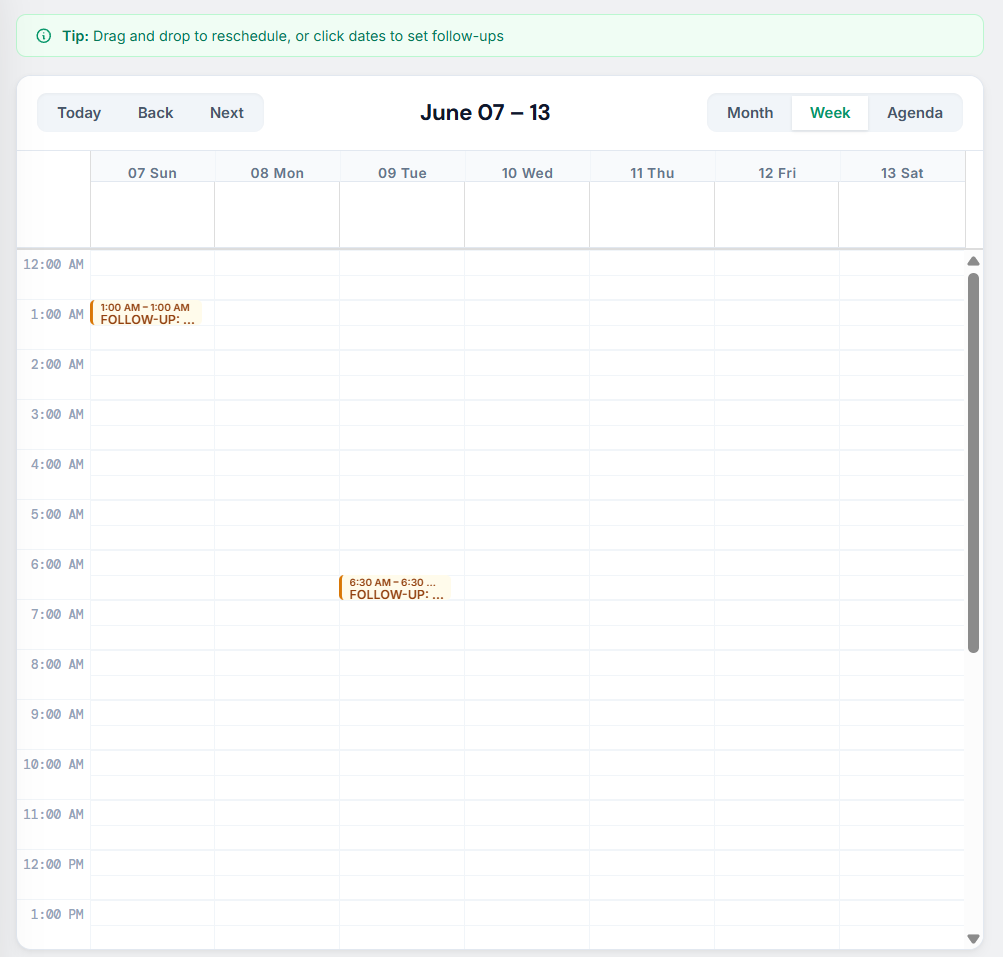
- The Week View (Tactical Execution): Ideal for detailed time management, the Week View breaks down follow-ups by the hour. This is particularly useful for scheduling specific calls or meetings, allowing you to see exactly when your day is blocked out for client outreach.
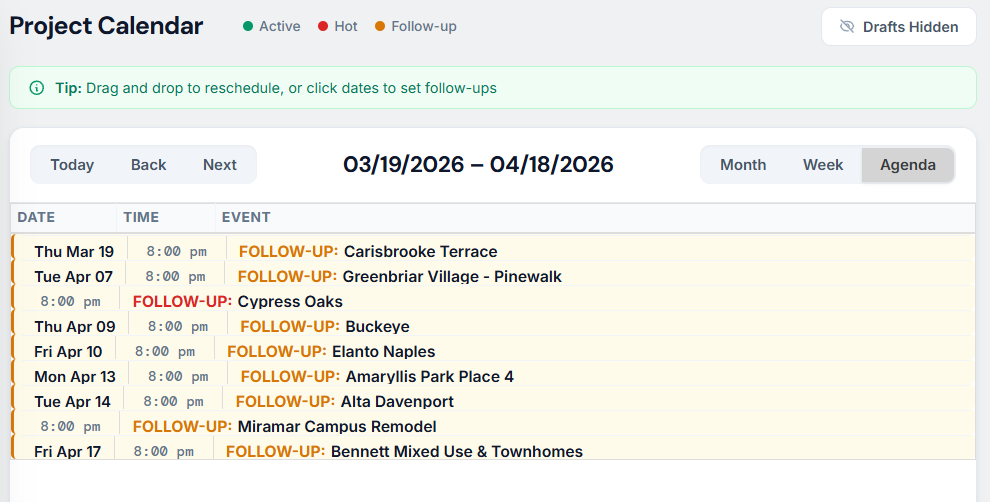
- The Agenda View (Task-Oriented): The Agenda View strips away the grid and provides a clean, chronological list of upcoming events. This “hit list” format is perfect for starting your morning, showing you exactly what needs to be addressed from today through the coming weeks in a simple, scannable table.
Seamless Scheduling: The “Set Follow-Up” Dialog
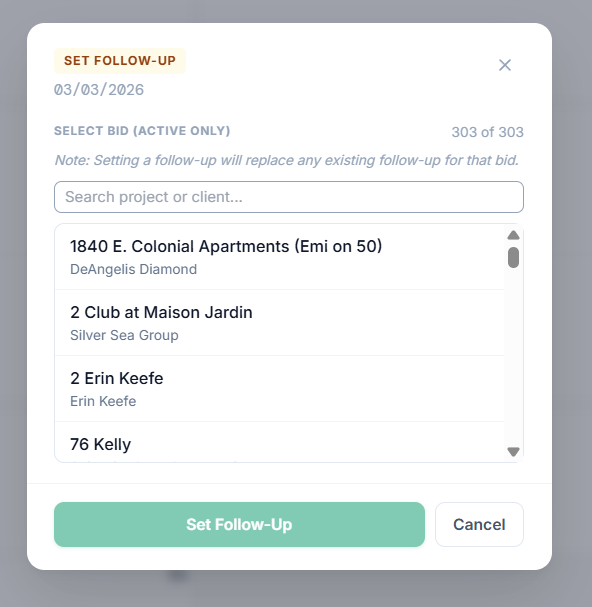
Adding a follow-up is designed to be frictionless, ensuring that data entry never gets in the way of actual work. The Set Follow-Up dialog box features:
- Active Bid Integration: The system automatically filters for your active bids (e.g., 1840 E. Colonial Apartments), so you aren’t digging through archived projects.
- Search-As-You-Type: Quickly find a project or client without scrolling through long lists.
- Smart Overwrites: The system notifies you that setting a new follow-up will replace any existing one for that specific bid, preventing double-booking or redundant tasks.
Intuitive Design for Fast-Paced Teams
The calendar isn’t just a static display; it’s an interactive tool built for the reality of construction management:
- Drag-and-Drop Rescheduling: Projects shift and deadlines move. The “Tip” bar at the top reminds users that they can simply drag and drop events to new dates, making it easy to pivot when a client requests a delay.
- Status Color-Coding: Using a simple legend (Active, Hot, Follow-up), users can instantly distinguish between standard check-ins and high-priority “Hot” opportunities that require immediate attention.
- Draft Management: The “Drafts Hidden” toggle allows you to clean up your view, focusing only on confirmed follow-ups while keeping internal notes tucked away until they are needed.
Why It Matters
By centralizing follow-ups within trackmybids.com, construction firms move away from scattered sticky notes and disparate digital calendars. This dedicated Project Calendar ensures that every bid in your $100M+ pipeline is nurtured, increasing your hit rate and professionalizing your client interactions.